
MANAGE EXPENSE
Add a new expense
Easily split expenses, split the bills, and manage shared expenses with our expense splitter. Explore how to add expenses, split costs fairly, settle up debts, and keep track of everything using our split money calculator and split bill calculator:
Tap the "Add" button below and select "Expense" to start.
Enter the amount, title, date, and category to keep things organized.
Choose who "Paid by" (defaults to you, but you can add more people).
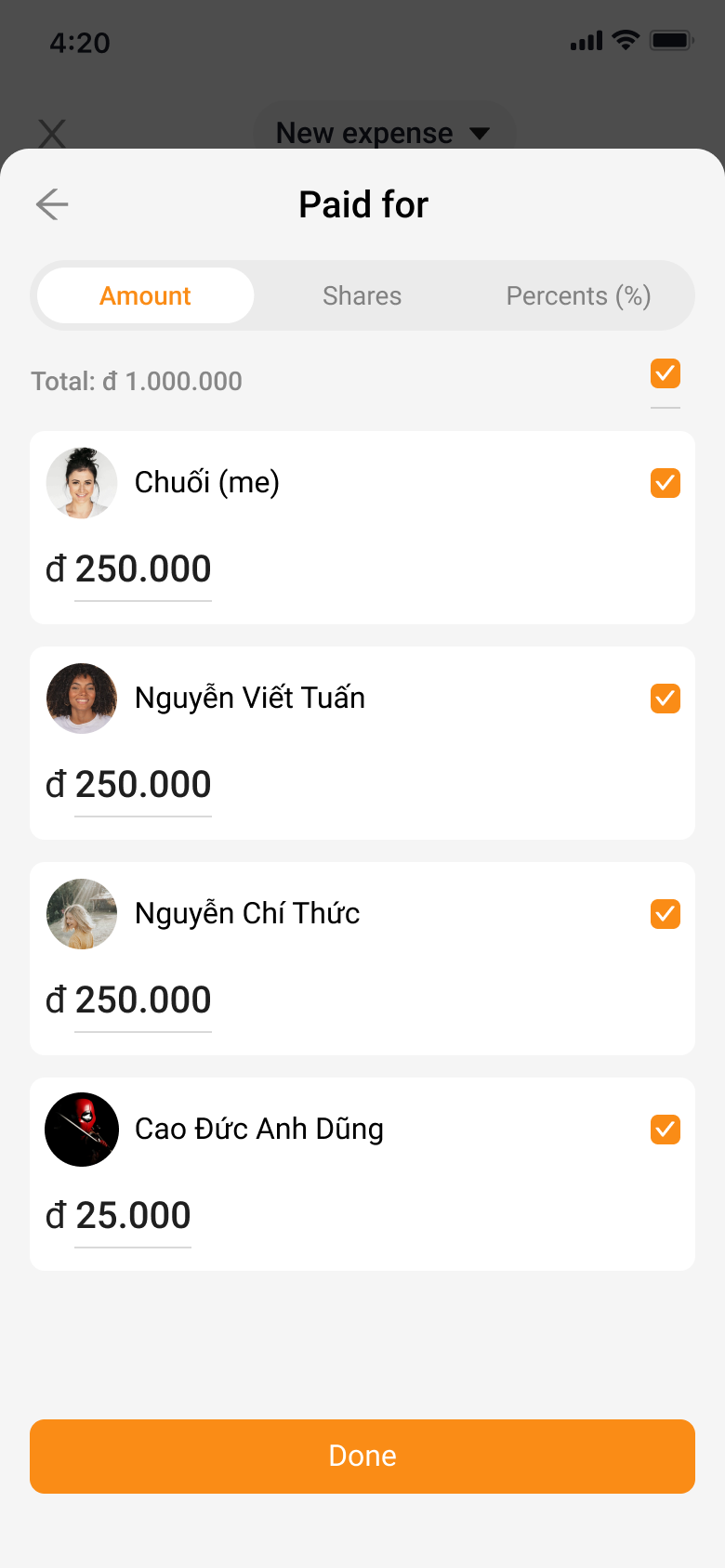
Select who the expense is "Paid for" (defaults to everyone, or choose individuals).
The app automatically splits costs evenly, but you can adjust amounts as needed.


Add a new transfer
Keeping track of money exchanges is a breeze! Here's how to add a transfer:
Tap the "Add" button below and select "Transfer" to get started.
Enter the amount, title, and date to keep things organized.
Choose who the transfer is "From" and "To" to make it crystal clear.
Tap "Add" and you're done—easy as that!

Add a new sponsor
Want to give a shout-out to your trip's financial hero? Adding a sponsor is easy!
Tap the "Add" button below and choose "Sponsor" to show your appreciation.
Enter the amount, title, and date to keep things organized.
Select the generous soul who's sponsoring your adventure.

View your balance
Stay on top of your finances! Here's what your balance screen shows:
Your balance: This is your current financial standing for the trip, updated in real-time.
Payment: Track all the money you've advanced or contributed to the trip expenses.
Expense: See the total amount you've actually spent throughout your journey.

Suggest payment among member
Keep those travel debts in check! Here's how to suggest payments:
Tap the "Suggest payment" button to initiate the process.
Select the debt you want to address.
If it's already paid, choose "Clear debt" and confirm with a new transfer.
If it's still outstanding, choose "Remind" to gently nudge the person who owes.

